
3 short steps · about 2 minutes
Install OnlyFans Downloader from a ZIP File
Install in 3 short steps
- 1
Download the OnlyFans ZIP package
Save the official Chrome package to your computer.
Download ZIP File - 2
Extract the OnlyFans ZIP package
Before ChromeOpen your Downloads folder and extract the downloaded file. Chrome needs the folder inside, not the ZIP file.
Windows: Right-click the downloaded file → Extract All
macOS: Double-click the downloaded file
- 3
Add it to Chrome
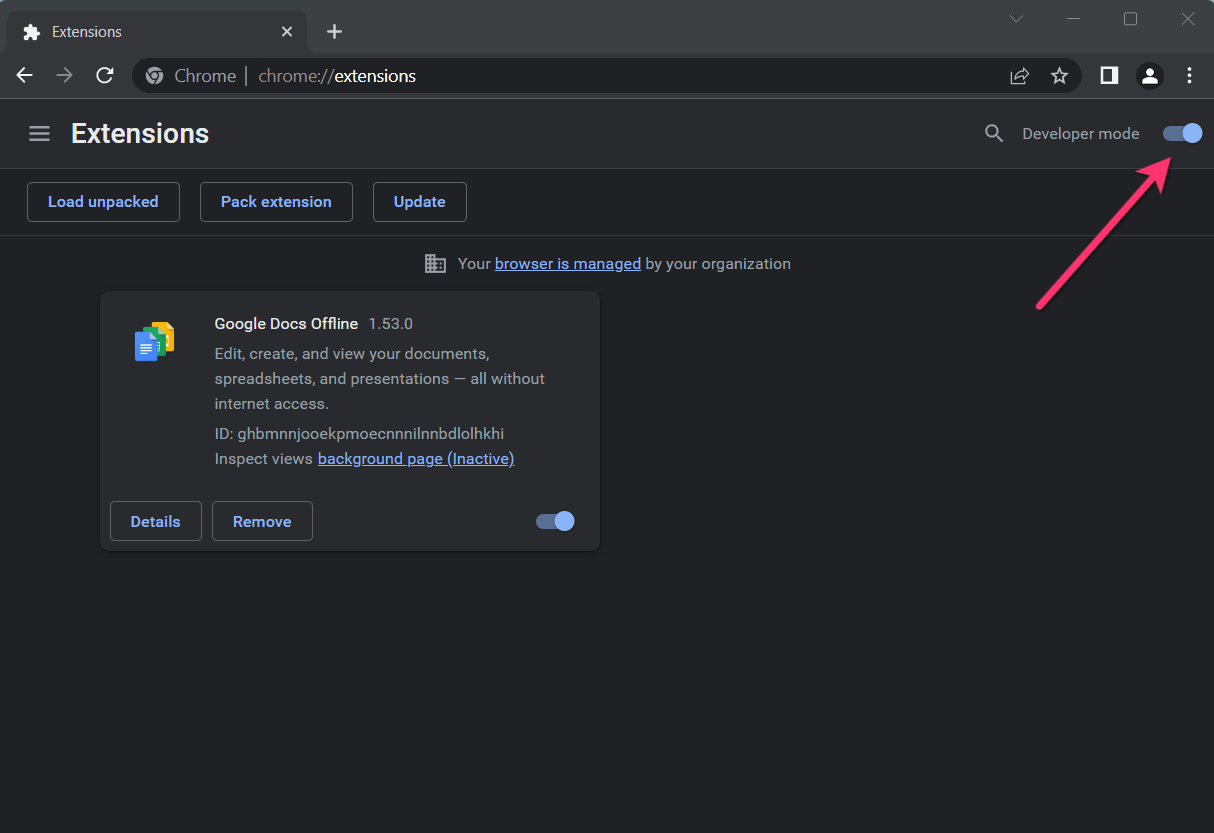
Open Chrome's extension settings and load the folder you just extracted.
- 1.Open
- 2.Turn on Developer mode.
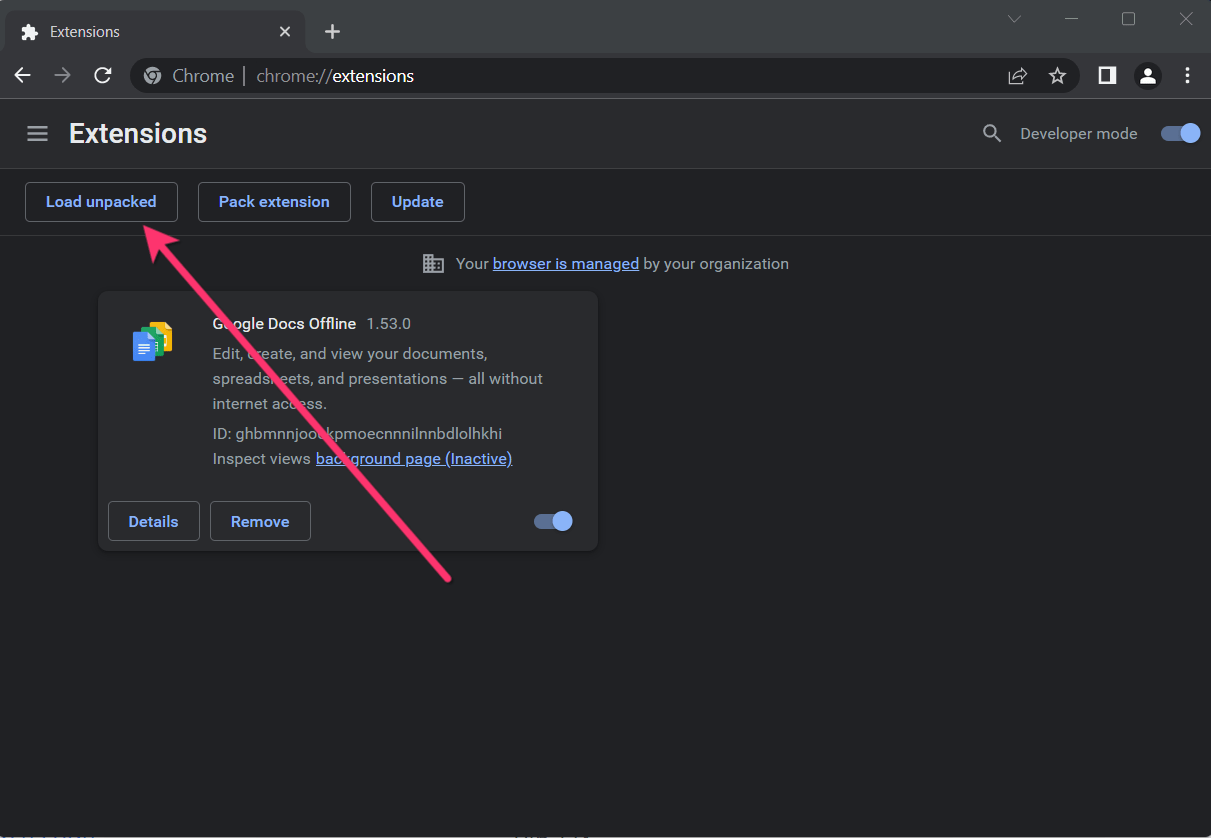
- 3.Click “Load unpacked” and choose the extracted folder.
Choose the extracted folder that contains manifest.json — not the ZIP file.
Good! OFDownloader is now installed in Chrome.
Why is the extension installed from a ZIP file?
Chrome Web Store policies may restrict downloader extensions. OFDownloader is therefore distributed as an official ZIP package and loaded locally through Chrome's Developer mode.
Common Issues
Can't find "Load unpacked" button?
Make sure Developer mode is enabled (toggle should be blue/on).
Extension won't load?
Extract the ZIP first, then select the extracted folder that contains manifest.json.